Kardi Ai App Settings
This guide will help you easily access the settings of the Kardi Ai app.
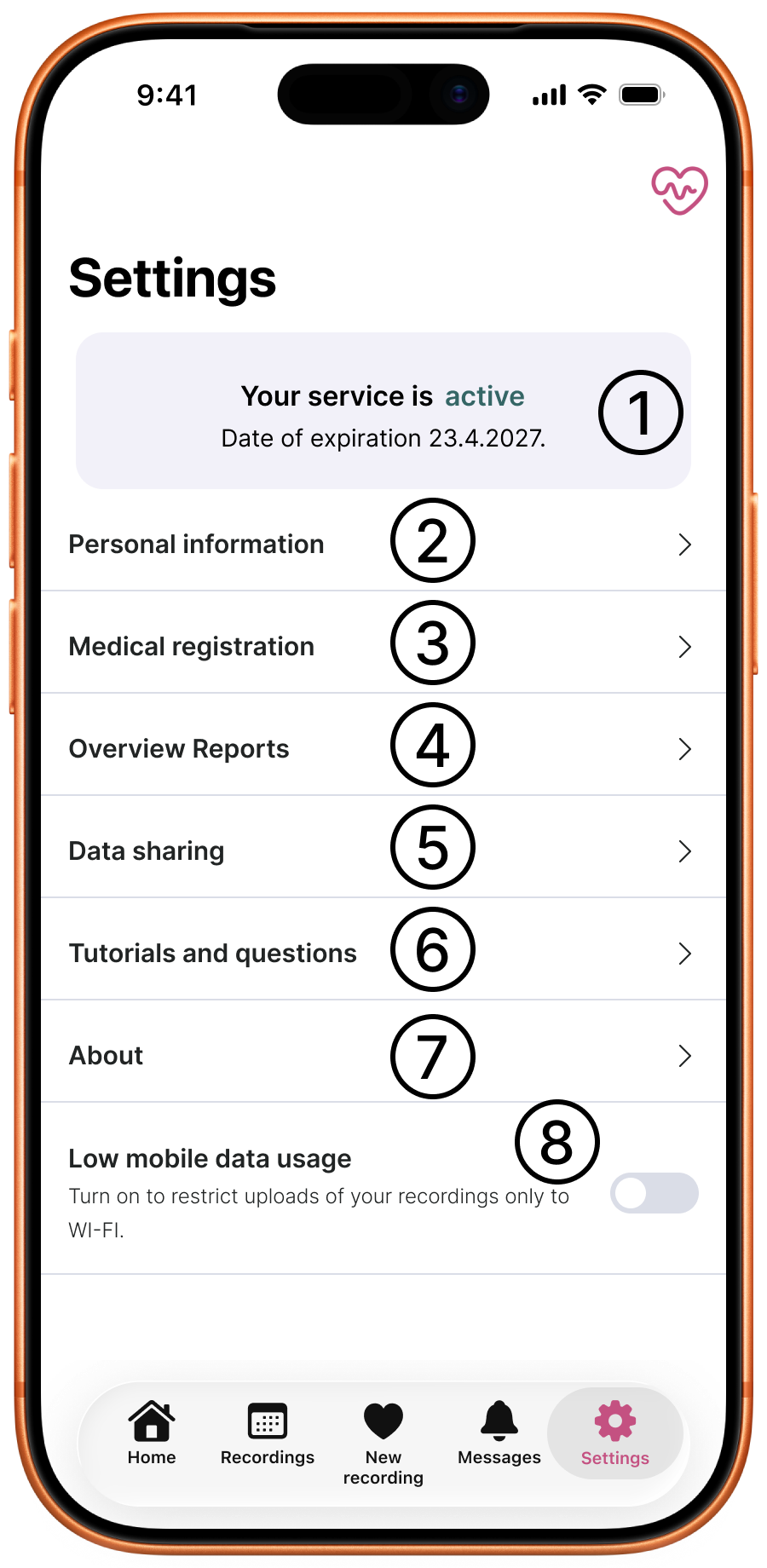
-
Account status
- Displays the status of your account - whether Kardi Ai is active or inactive (according to the validity of your subscription).
- The expiration date of your subscription.
-
Personal information
- Here you will find your personal and contact details, which you can view and edit directly in the app.
- More information at Personal Information.
-
Health registration
- Information about registration with the relevant cardiologist and healthcare facility.
-
Overview reports
- Summary reports from your measured ECG data for the selected period.
- More information at Overview reports.
-
Data sharing
- Sharing your health data, especially ECG records and analysis results, with a selected doctor.
- More information at Data sharing.
-
Guides and questions
- A link to detailed Kardi Ai guides
-
About the app
Basic information about the Kardi Ai app
 .
.- Application logs
- Display detailed operation of the app
- In case of technical difficulties, you may be asked to send the application logs to the e-mail support@kardi.ai
- Disconnect app
- A button to log out of your user account.
- The app will return to its first-launch state.
- Your records are securely stored in cloud storage, so they will not be deleted.
- Application logs
-
Save mobile data
- The option to use the record-sending function only over a Wi-Fi internet connection.
- In case of problems with sending records, you may be asked to deactivate this option.
Need help?
Contact Kardi Ai customer support
☎️ +420 779 998 100
✉️ support@kardi.ai