Android devices (Samsung, Xiaomi,...)
To ensure that we can resolve any technical problems with the Kardi Ai app, please send your application logs to our customer support team.
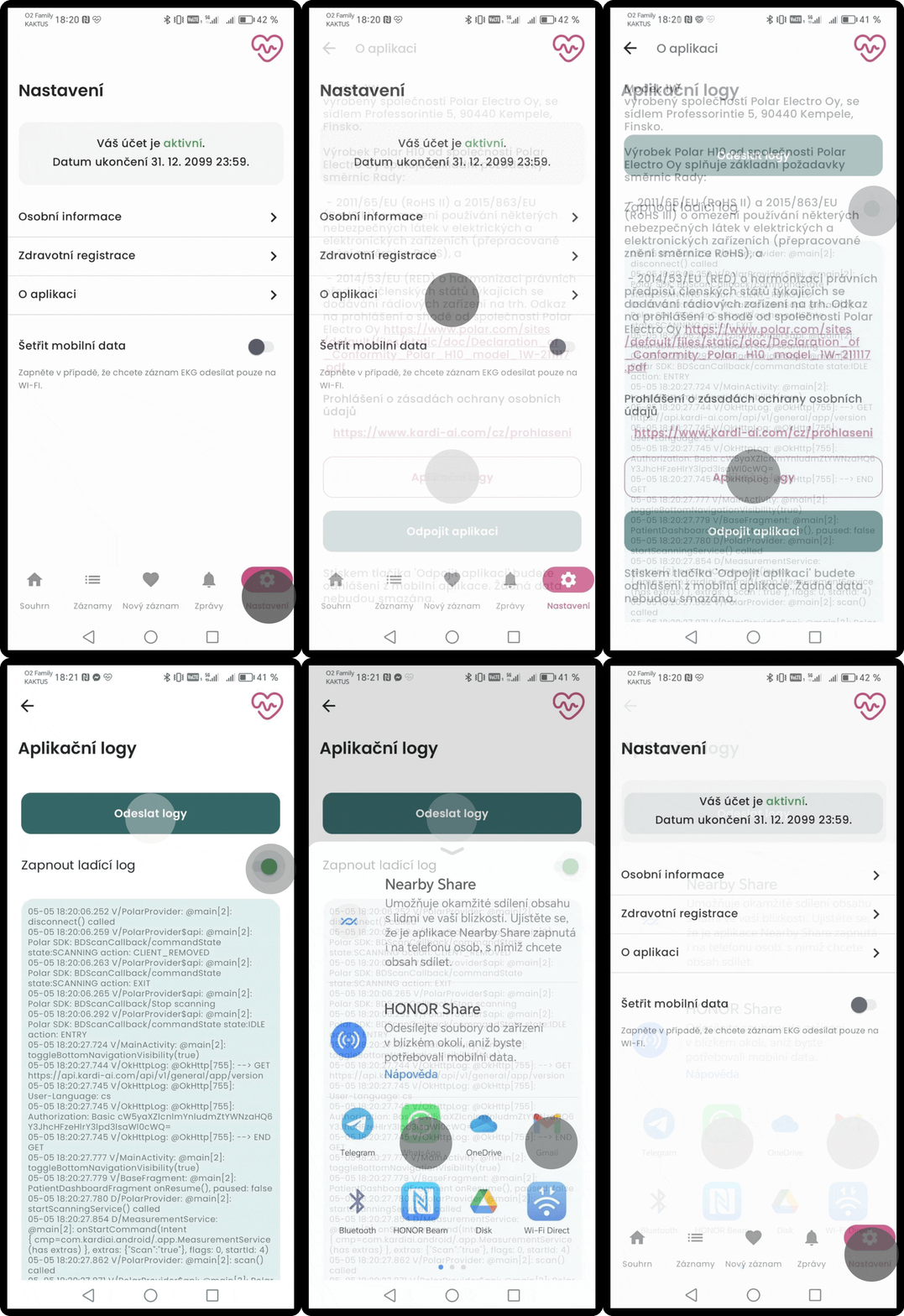
-
Open App Settings
In the Kardi Ai
 app, go to settings (tab with the gear icon).
 -
About the App
In settings, click on About the App.
-
Service events
Click on Service events.
-
Application Logs
Then click on Application Logs.
-
Enable Debug Logs (optional)
In some cases, it is necessary to enable debug logs using the switch - customer support will inform you if they are needed.
-
Share Log Files
Click the Share Log Files button.
-
Sending Logs
Send the file via WhatsApp to +420 779 998 100, or via email to support@kardi.ai.
Upon receipt, customer support will diagnose the issue and inform you of the next steps.
Contact Kardi Ai customer support
☎️ +420 779 998 100
✉️ support@kardi.ai